If you live in Switzerland, you will quickly come across something called a QR bill. It is now the standard way to receive and pay invoices, but it can feel confusing at first, especially if you are used to older payment slips or banking systems from abroad. This article explains what a QR bill is and walks you through the different ways you can pay one, whether you use a Swiss bank, a foreign bank, or prefer offline options.
What is a QR bill?
A QR bill is the modern Swiss invoice format that replaces the older red and orange payment slips. It includes a QR code containing all the payment information needed to pay the invoice, such as the recipient’s account, reference number, and amount. QR bills make it faster and safer to pay invoices, whether through online banking, mobile apps, or offline methods.
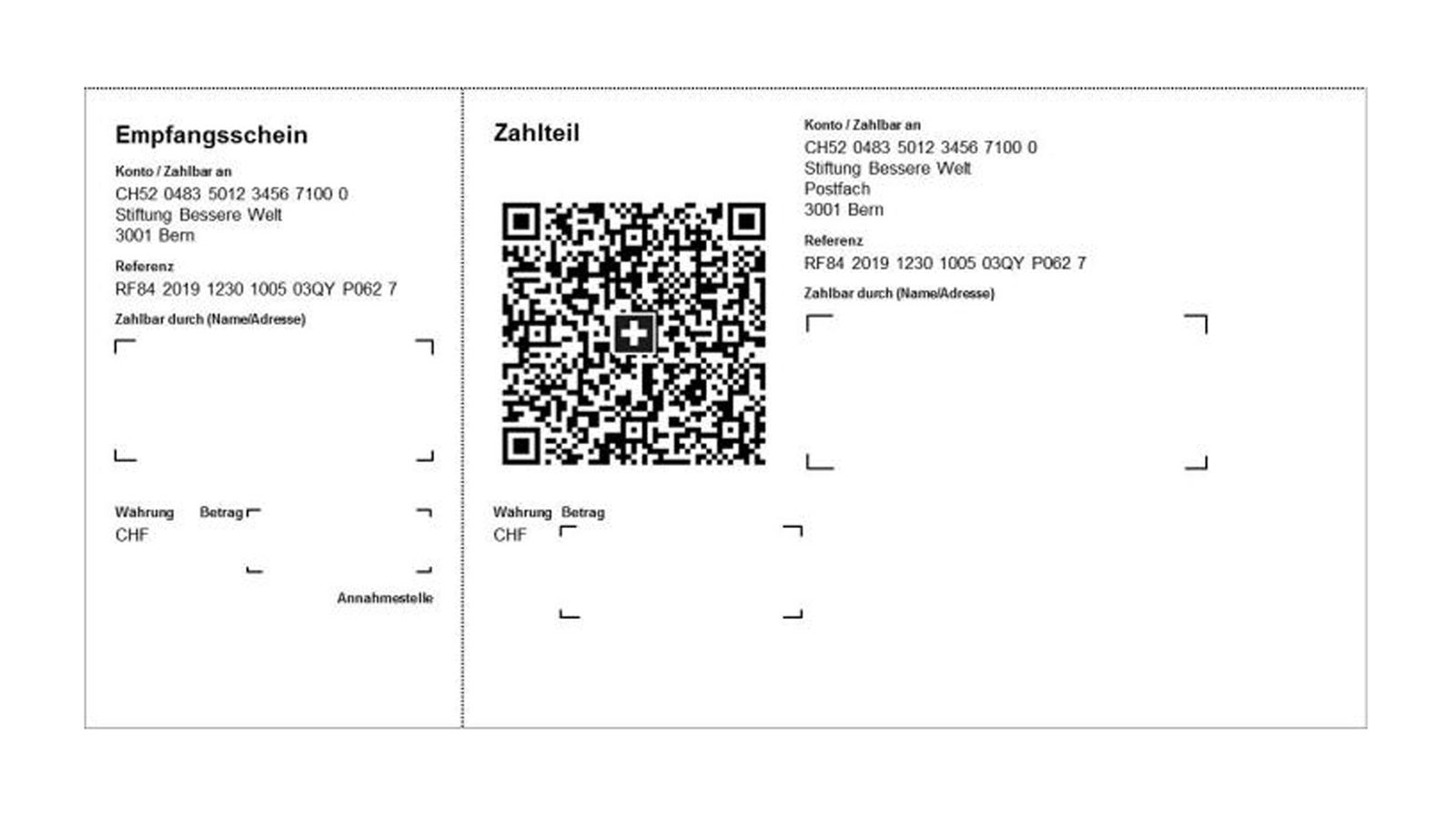
Photo credits: Post CH SA
How to pay a QR bill
Paying a QR bill is straightforward once you understand the process. Here are the main steps:
- Open your Swiss bank’s mobile app or online banking platform (how to open a bank account?).
- Select the option to scan or pay a QR bill.
- Use your phone to scan the QR code on the invoice.
- Verify that the payment details, such as amount and recipient, are correct.
- Confirm the payment. Depending on your bank, you may need to approve the transaction via your banking app.
Paying with foreign banks
If you hold an account with a foreign bank which does not support QR bills. You can still pay QR bills manually:
- Log in to your online banking account.
- Enter the reference number, recipient details, and amount manually.
- Verify all information before confirming the payment.
Offline ways to pay a QR bill
You can also pay QR bills without using a computer or smartphone:
- At your Swiss bank branch, provide the QR bill and payment details to the teller.
- At ATMs of certain banks (some banks have specific ATMs supporting QR bills processing)
- At any Swiss Post branch, provide the QR bill and payment details to the teller. You can pay using cash and some debit cards. Please note that some recipients charge a small fee for this payment method, this fee varies depending on the amount of the bill.
- With the TWINT app.
Tips for smooth QR bill payments
- Always check the payment amount and recipient information before confirming.
- Keep a copy of the payment confirmation for your records.
- If you regularly pay the same supplier, you can save their QR bill details in your online banking for faster future payments (as long as the reference number remains the same).
Get personalized guidance
Select an option above to learn more.
📅 Arrange a callback
Pick a TimeClick the button above to pick a time that suits you. I will call you to discuss your request and outline how I can best assist you, entirely without commitment.